Floor plans used to mean one of two things: paying a professional, or spending an evening with a tape measure, graph paper, and an eraser. Desktop CAD tools work, but the learning curve is steep and the good ones are subscription-priced. If all you need is an accurate, presentable plan of a real space, your phone can do the whole job for free.
Here are the three free routes in Floor Plan App, and when to use each.
Route 1: Scan it with LiDAR (fastest)
If you have an iPhone Pro (12 Pro or later) or a 2020+ iPad Pro, the LiDAR scanner will build the plan for you. Walk the room slowly, and walls, doors, windows, and even furniture are detected automatically. A typical room takes about a minute; a whole apartment maybe ten.
This is the right choice when the space already exists and you want it captured exactly — surveys, listings, renovation baselines. Full walkthrough: How to Scan a Room with iPhone LiDAR.
Route 2: Measure it with AR (works on any recent iPhone)
No LiDAR? ARKit-based measuring works on nearly every iPhone in use today. You tap the corners of the room in augmented reality and the app builds the outline with real dimensions. It takes a couple of minutes per room and needs no extra hardware. Details: Measure a Room with AR.
Route 3: Draw it by hand (no room required)
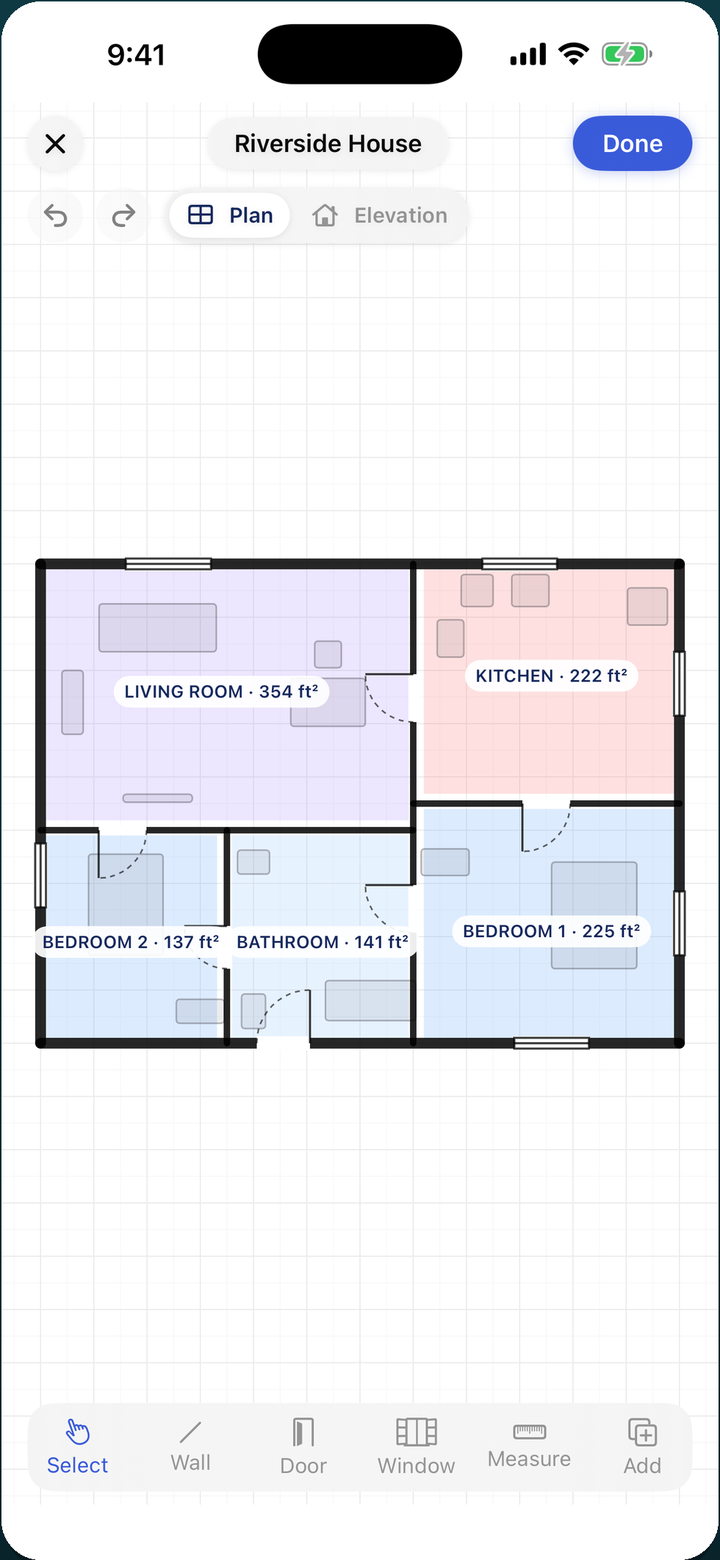
Sometimes the space doesn't exist yet — you're sketching a garage conversion, a booth layout, a dream kitchen. The built-in editor lets you draw walls on a grid, drop in doors and windows, and place furniture, with room areas calculated as you go. No CAD experience required; if you can drag a rectangle, you can draw a plan.
Whichever route: edit, view in 3D, export
All three routes end at the same place — an editable plan with labelled, sized rooms. From there you can:
- Edit any wall, door, window, or label; measurements update live.
- View in 3D with one tap — orbit and zoom around the space.
- Export as PDF, SVG, or image, or open the plan in OpenPlan3D for deeper 3D editing in the browser.
What "free" actually means here
No account, no sign-up, no watermark ransom on your own measurements. You can scan, measure, draw, edit, and export without paying anything. That's the whole point: a floor plan of your own space shouldn't be a subscription product.
Try it on your next room
Floor Plan App is free on iPhone and iPad — scan with LiDAR, measure in AR, or draw by hand. No sign-up.
